
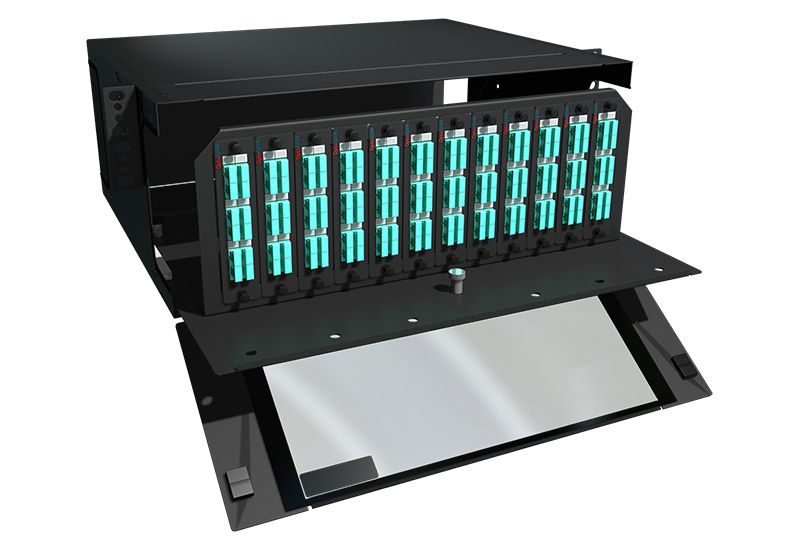
MPO Panel Design Tips for Scalable and Efficient Fiber Networks
A fiber network can perform well only when the physical layout supports clean routing, easy access, and room for future change. That is why panel design should never be treated like a small detail at the end of a project.
In many sites, the panel becomes the point where growth, maintenance, and uptime either work smoothly or start to break down. A good MPO panel design helps teams keep the network organized, efficient, and ready for expansion without making daily work harder.
Start With Clear View of Current and Future Capacity
Scalable design begins with a simple question. How much fiber do you need now, and how much may you need later? Many network teams plan only for the first installation stage, then face trouble when new links are added. A better method is to map present demand and leave room for growth.
When planning capacity, focus on these points:
- Count current ports and likely growth over the next few years.
- Leave spare space for extra trunks, patching, and future moves.
- Think about migration paths for higher-speed links.
- Avoid filling every position on day one unless there is a firm reason.
A panel that supports expansion reduces rework and helps control long-term cost, which is the same reasoning behind patch panel designs built for scalable growth.
Use High Density Only When It Still Supports Access
High density is useful, but it should not make the panel hard to handle. In many network rooms, too much density in a tight area creates problems during testing, tracing, and replacement work. The goal is to fit more fiber in less space while still keeping each connection reachable.
A practical design should balance:
- Port density
- Front and rear access
- Clear labeling space
- Bend protection
- Cleaning and inspection access
If technicians cannot work easily on the panel, the space savings lose value very fast.
Keep Cable Routing Simple and Controlled
Panel performance is shaped by cable routing more than many people expect. Poor routing causes crowding, bending stress, and tracing confusion. Good routing keeps fiber paths visible and controlled from entry to connection point.
Use these routing habits in the design:
- Separate trunk paths from patching paths where possible.
- Keep routing paths smooth and easy to follow.
- Use cable management guides and rack accessories to reduce crossing and tangling.
- Plan slack storage so that extra length does not spill into the working space.
Simple routing supports faster service work and lowers the chance of accidental disturbance during changes.
Protect Bend Radius at Every Stage
Fiber can lose performance when bend control is ignored. This issue often appears during fast installations, later upgrades, or crowded cabinet changes. A panel should make correct bend handling easy, not optional.
Here is a simple view of good bend management practice:
| Design area | What to check | Why it matters |
|---|---|---|
| Cable entry | Smooth entry path with no sharp turns | Protects incoming fiber from stress |
| Internal routing | Guides that support clean curves | Helps signal stability and neat layout |
| Slack storage | Controlled loops, not tight wraps | Reduces pressure on the spare length |
| Front patch area | Enough room near adapters and connectors | Prevents crowding during patching |
| Maintenance access | Space for hands and tools | Avoids forced bending during service |
This kind of planning keeps the panel usable over time, not just on installation day.
Label Everything in a Way People Can Follow
Many fiber issues are not caused by bad hardware. They happen because labeling is weak, unclear, or inconsistent. A panel may look neat from the outside, yet become hard to manage when names do not match routes, cabinets, or service records.
A useful labeling method should include:
- A clear naming pattern for every port and cable
- Labels that remain readable in dense spaces
- Matching records in diagrams and change logs
- Labels placed where technicians can see them without moving cables
Good labels save time during testing, fault isolation, and later network changes. They also reduce errors during urgent work.
Choose Modular Layouts for Easier Change
Networks rarely stay fixed for long. New equipment, extra links, service changes, and refresh cycles all place pressure on the patching area. A modular layout makes those changes easier because it allows sections to be adjusted without disturbing the full panel.
This is where the design of an MPO panel becomes important. A modular structure can help support staged growth, simpler replacement, and cleaner migration planning. Instead of rebuilding the whole patch field, teams can work on the section that needs to be changed.
Modular design is helpful when you need:
- Expansion in phases
- Faster service replacement
- Cleaner moves and adds
- Better control in mixed deployment environments
This approach supports scale without turning the panel into a rigid system.
Support Cleaner Migration to Higher Speed Networks
As network demand increases, panel design should support changes without forcing a full rebuild. Migration is smoother when the physical layer has room, order, and clear routing from the start. This matters for data-heavy environments where capacity can rise faster than expected.
To make migration easier:
- Reserve pathways for added fiber runs
- Keep documentation current from the first install
- Use consistent port mapping across sections
- Avoid cramped layouts that limit future work
Design choices made early often decide whether an upgrade feels controlled or chaotic later on.
Match Product Quality with Practical Engineering Support
A strong panel design depends on both product quality and sound planning. SanSpot works in fiber optic networking with a focus on high-performance, cost-competitive solutions for many optical network applications. The company also supports flexible configurations for custom network design, which matters when standard layouts do not fit the project.
Technical support also matters in panel planning. Design help can reduce mistakes in port mapping, density planning, and cable layout. When engineering advice is available early, teams can avoid preventable issues that usually appear only after installation.
Final Thoughts
A scalable fiber network is built on small choices that work well together. Panel density, routing, access, labeling, bend control, and future growth all need attention at the same time. When one part is ignored, the network becomes harder to manage, even if the hardware itself is good.
A well-planned MPO panel supports steady performance and easier change over time. That is the real goal of smart design. It should help teams work with less confusion, less waste, and better long-term control.